HDHomeRun on Fire TV: what works, and a DVR app for it
A Fire TV stick is the cheapest way to put your HDHomeRun on a television, and for years SiliconDust's HDHomeRun app has been in the Amazon Appstore. The catch in 2026 is which Fire TV you have. Amazon's newest devices run a different operating system, and apps built for the older ones do not run on them.
This page explains which Fire TVs work, what the HDHomeRun app does on them, and what the TIBBL Fire TV app adds when it reaches the Appstore.
Which Fire TV devices work with HDHomeRun
Most Fire TV sticks, cubes and Fire TV televisions sold up to 2025 run Fire OS, which is based on Android. SiliconDust's HDHomeRun app supports those. Its support page says the app does not currently work on the 2026 Fire TV sticks or on the 2025 Fire TV Stick 4K Select, which run Amazon's new Vega OS, and that a Vega version is in development with no date.
The TIBBL Fire TV app is in the same position: it is a Fire OS app, so it is for the Fire OS devices, not for the Vega ones. If you are buying a Fire TV for antenna TV today, check the listing for Fire OS. Many people use an Android TV or Google TV device instead, and TIBBL has an app for those too, on Google Play now.
What the HDHomeRun app does on Fire TV
On a supported Fire TV, SiliconDust's app plays live channels from your HDHomeRun on your home network and has a guide. Recording needs SiliconDust's DVR subscription and a computer or storage box to record to. If live TV in the house is all you want, it may be all you need.
The TIBBL Fire TV app
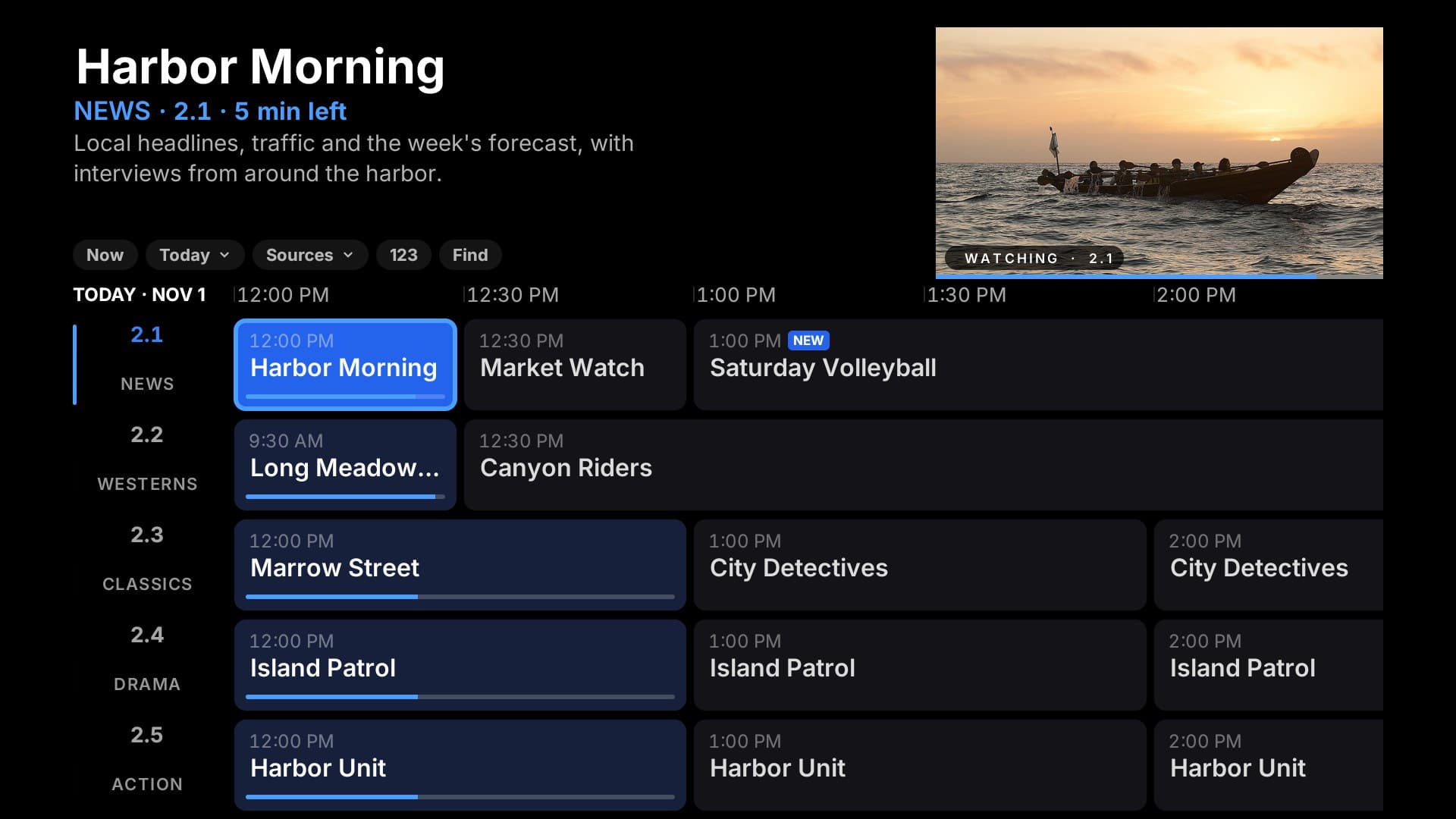
The TIBBL app connects your Fire TV to the TIBBL recorder on a computer in your house, so the television gets the whole DVR. The guide is a timeline of your channels with a live preview of the one you are on. Live TV can be paused, rewound, started over from the beginning of the program, or watched a little behind live so there is always room to skip.
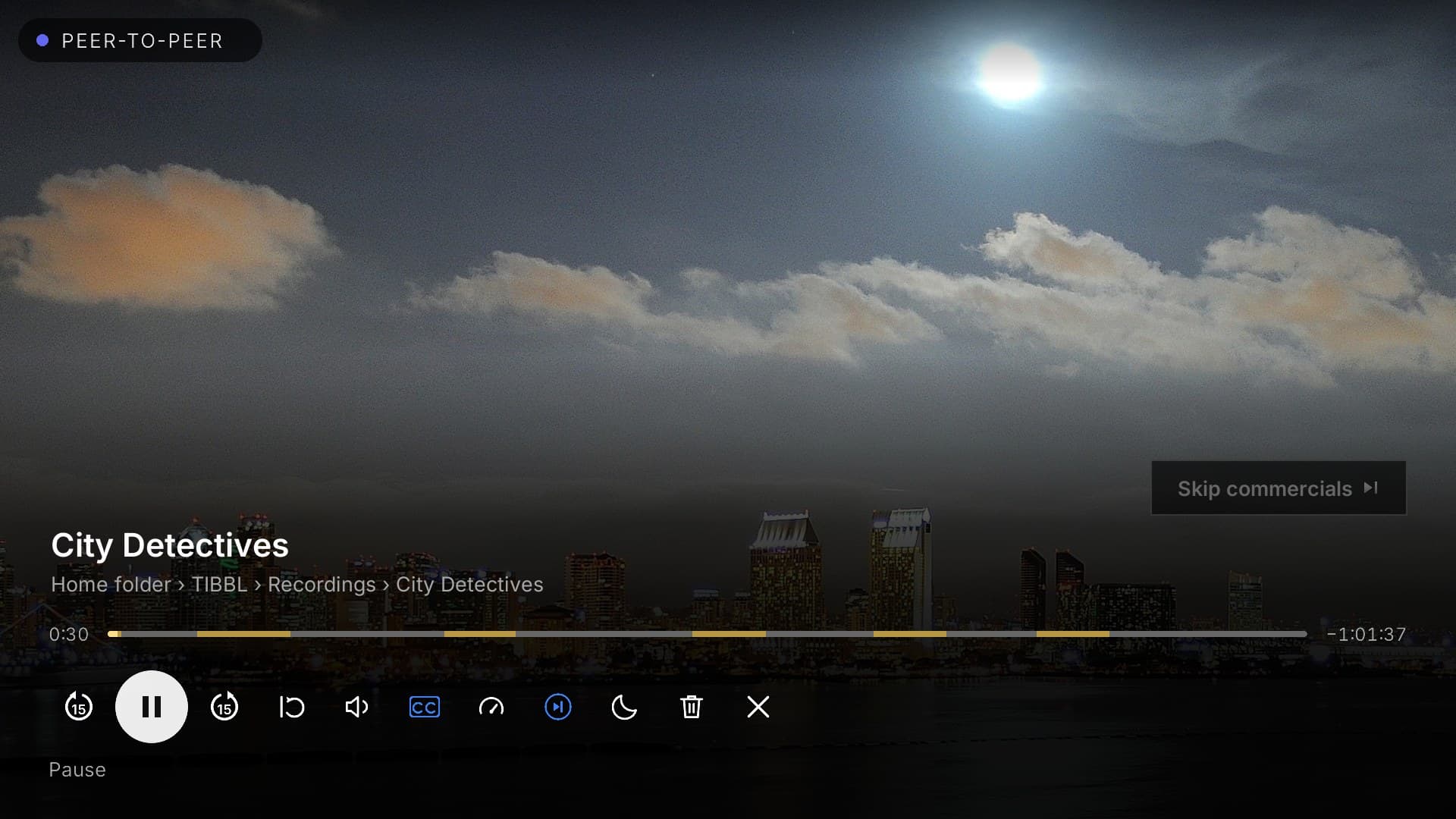
Recordings appear in a library sorted into shows. When one plays, the ad breaks the recorder found are marked on the timeline: press Skip commercials when a break comes up, or turn on Skip commercials automatically and they go by on their own. Live TV gets an Ad break tag too, as a beta.
Multiview and the Signal panel
Multiview puts several live channels on the screen at once, in a grid, a featured layout, picture in picture or a strip along the bottom, and you choose which channel you hear. Each antenna channel on screen uses one tuner in your HDHomeRun.
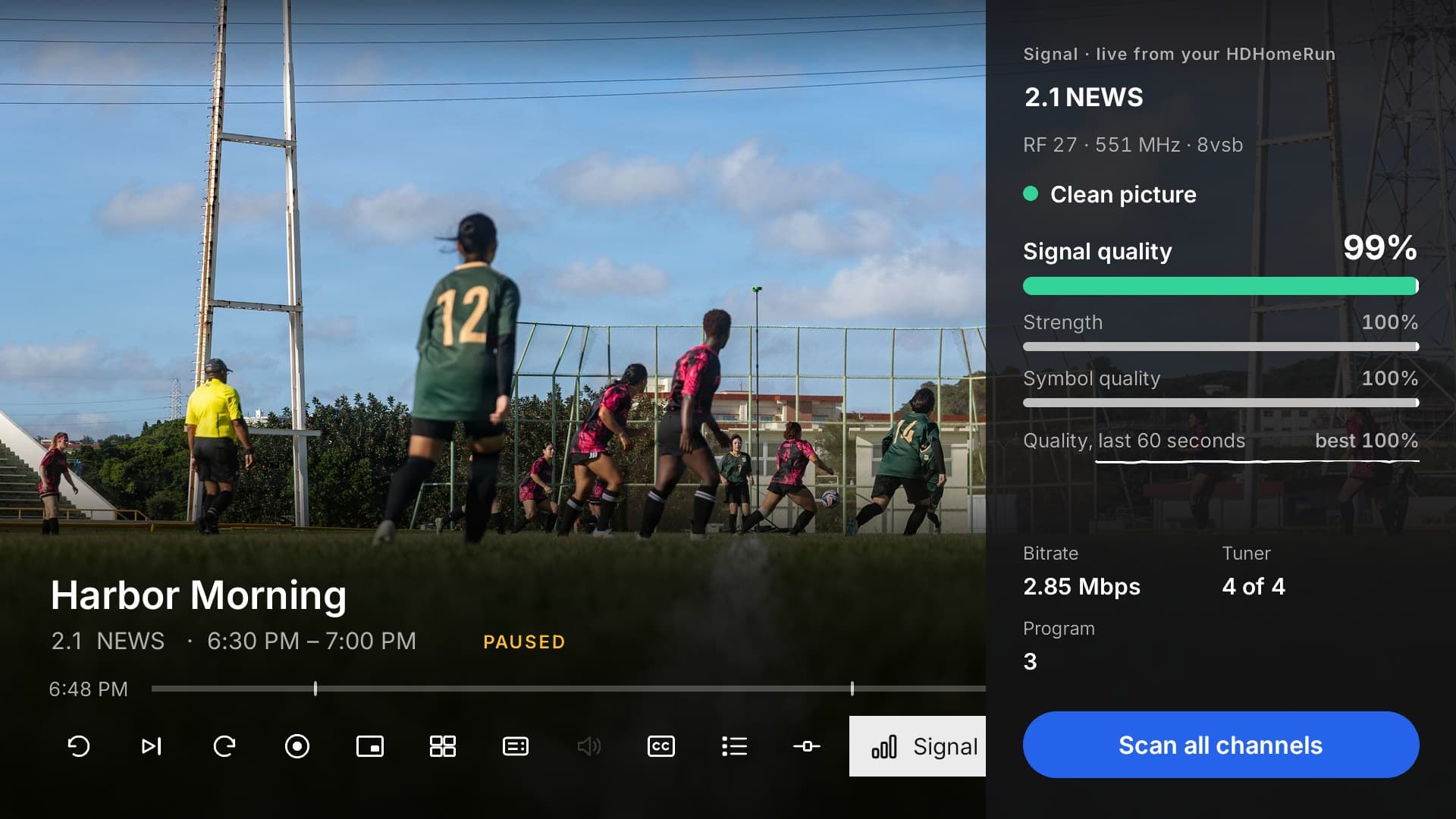
If a channel breaks up, press Signal in the player. A panel slides in with what your antenna is receiving on that channel right now: signal quality, strength, symbol quality, the RF channel and frequency, and the last minute as a line. Channel signal scans every channel in your lineup with one free tuner, which makes aiming an antenna a lot less guesswork.
Away from home too
A Fire TV outside your house, at a cabin or in a hotel room, plays your antenna channels and recordings with no port to open on your router. The TIBBL Fire TV app is in the Amazon Appstore, and it signs in to the same account as the TIBBL web app.
What you need, and what it costs
An antenna, an HDHomeRun network tuner, and a computer that stays on to run the TIBBL recorder: a Mac with Apple Silicon, a Windows PC or a Linux PC. Recordings go to that computer, in a folder you choose.
One plan with everything: $5 a month or $50 a year, after 14 days free.
Today you watch in the TIBBL web app, in a browser on a computer, phone or tablet, on Roku from the Roku Channel Store, on Fire TV from the Amazon Appstore, or on Android TV and Google TV from Google Play. The iPhone and iPad, Apple TV and Xbox apps are with their stores for review.
Questions people ask
Does HDHomeRun work on Fire TV?
On Fire TV devices with Fire OS, yes. SiliconDust says its app does not currently work on the 2026 Fire TV sticks or the 2025 Fire TV Stick 4K Select, which run Vega OS.
Can a Fire TV record from an HDHomeRun?
The Fire TV itself does not record. A recorder on a computer does, and the Fire TV plays the recordings. TIBBL's recorder runs on a Mac, Windows or Linux computer, and its Fire TV app is in the Amazon Appstore.
Will the TIBBL app run on the Fire TV Stick 4K Select?
No. The TIBBL Fire TV app is built for Fire OS devices. The Select and the 2026 sticks run Vega OS, which does not run Fire OS apps.
Does the TIBBL Fire TV app skip commercials?
Yes. Recordings have their ad breaks marked, with a Skip commercials button and an optional setting to skip them automatically. Automatic skipping is off until you turn it on.
Where do I get the TIBBL Fire TV app?
In the Amazon Appstore: search TIBBL on your Fire TV. It signs in to the same account as the TIBBL web app.