HDHomeRun DVR software that records to your own disk
An HDHomeRun is a tuner, not a recorder. It receives antenna TV and puts it on your home network, and that is all it does by itself. To pause live TV, record a series or skip the ads you need DVR software running on a computer, and that software is where the real choices are.
TIBBL is one of those choices. Its recorder runs on a computer you already own, records to that computer's disk, and serves a guide, a library and a player to the browser in every room.
What HDHomeRun DVR software has to do
Whichever software you pick, the job is the same. Something has to stay on to record at 3 a.m., so the recording side runs on a computer or a network storage box rather than on the TV. It needs a program guide so you can pick shows by name instead of by time and channel. And it needs apps on the screens you actually watch, because a recording on a hard drive nobody can reach is not much use.
SiliconDust, the company that makes the HDHomeRun, sells its own DVR service. Its downloads page says plainly that the DVR needs a subscription to work, sold as a yearly plan for the whole household. Channels DVR is the best-known third-party option,at $8 a month or $80 a year. Plex and Emby can also record from an HDHomeRun as part of a wider media server.
How TIBBL records your HDHomeRun
You install the TIBBL recorder on a Mac with Apple Silicon, a Windows PC or a Linux PC on the same network as your HDHomeRun. It finds the tuner on its own, reads its channel lineup, and starts filling in the guide. Recordings go to a folder on that computer, which you can change to any drive you like. There is no cloud copy and no storage limit beyond the size of your disk.
From the guide you can record one airing or the whole series, with extra minutes at the start or end if a station tends to run late. A program that is already on can be recorded from where it is. Recorded games that are matched to a live game in the guide extend themselves, half an hour at a time and up to two hours, when the game runs long. When a recording finishes, the recorder looks through it for the ad breaks, so you can skip them when you watch.
The library sorts recordings into shows, and can also include your own video folders. If a title is matched to the wrong show or the wrong artwork, Fix match lets you correct it.
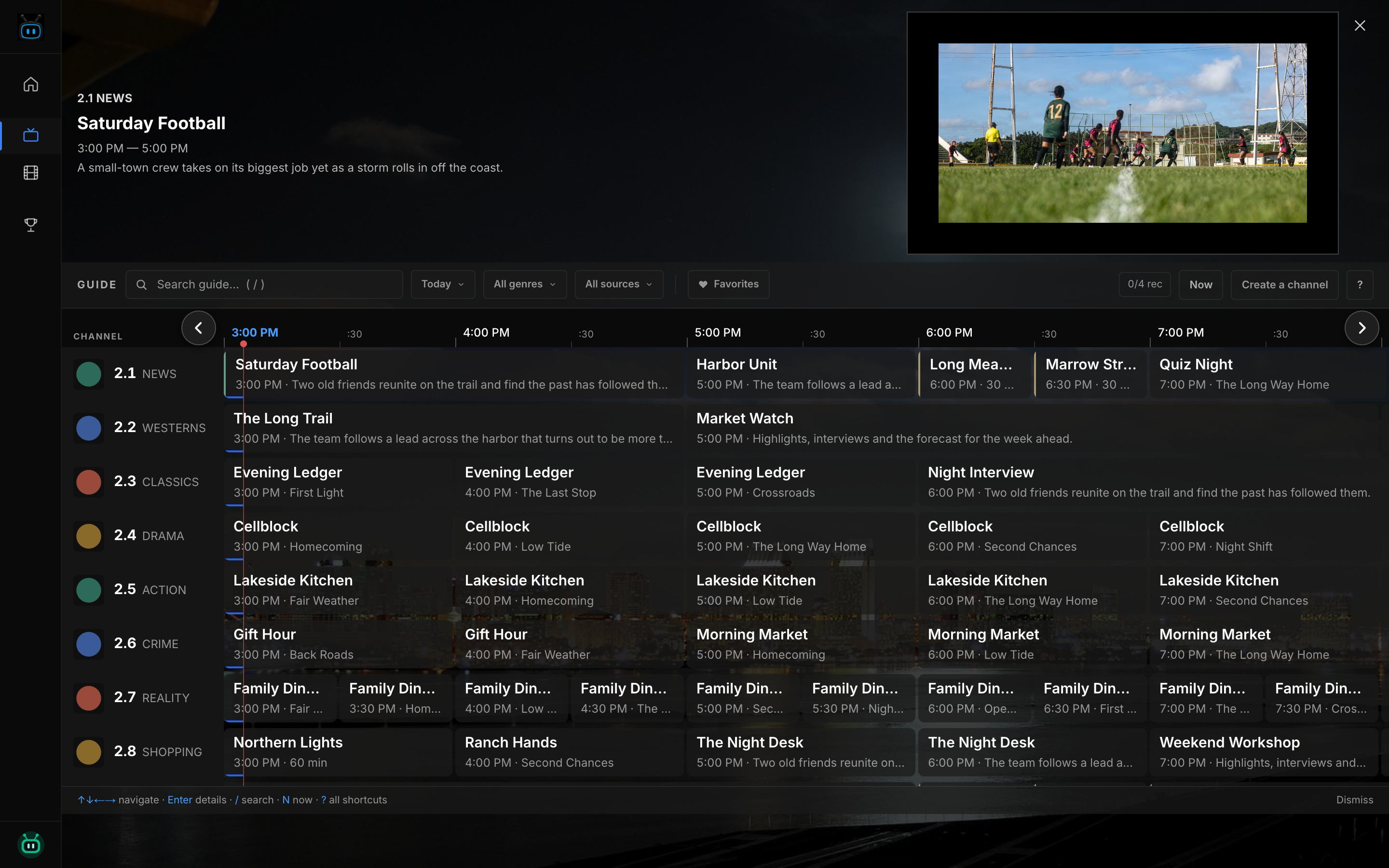
Guide data without a second subscription
TIBBL's guide runs up to 14 days ahead, with cast and ratings, which matters most if you set recordings for the weekend on a Wednesday. There is no SiliconDust DVR subscription to buy.
Watching it
The TIBBL web app plays live TV and recordings in a browser on a computer, phone or tablet: pause and rewind live TV, jump back to live, and up to four channels at once in multiview. The same app works away from home without you opening a port on your router.
The Roku, Fire TV, Android TV and Google TV apps are out now; the iPhone, iPad, Apple TV and Xbox apps are with their stores for review.
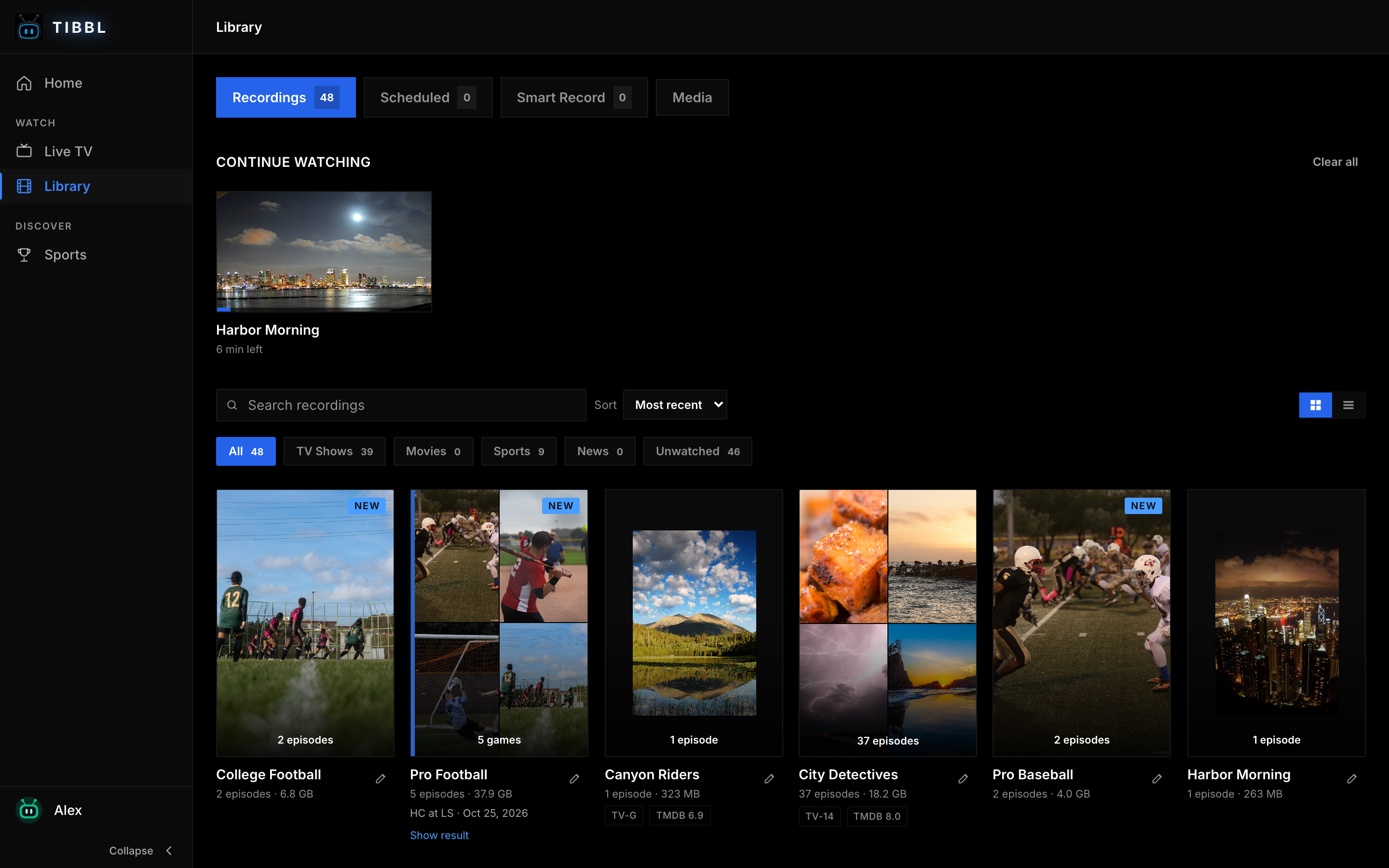
What TIBBL does not do
It is fair to say what is missing. The recorder does not run on a NAS or on an Intel Mac. ATSC 3.0 channels do not play yet, because their AC-4 sound cannot be decoded by the players we ship, and channels the broadcaster encrypts are refused. TIBBL does not bring in cable or streaming channels. If those matter to you, the comparisons below say plainly where another product fits better.
What you need, and what it costs
An antenna, an HDHomeRun network tuner, and a computer that stays on to run the TIBBL recorder: a Mac with Apple Silicon, a Windows PC or a Linux PC. Recordings go to that computer, in a folder you choose.
One plan with everything: $5 a month or $50 a year, after 14 days free.
Today you watch in the TIBBL web app, in a browser on a computer, phone or tablet, on Roku from the Roku Channel Store, on Fire TV from the Amazon Appstore, or on Android TV and Google TV from Google Play. The iPhone and iPad, Apple TV and Xbox apps are with their stores for review.
Questions people ask
Is the HDHomeRun DVR free?
No. SiliconDust's own DVR needs its yearly DVR subscription, one per household. The HDHomeRun tuner itself plays live TV without one.
Can I record from an HDHomeRun without a subscription?
TIBBL is one plan, $5 a month or $50 a year after 14 days free, and it replaces SiliconDust's DVR subscription rather than adding to it: no other guide or DVR fee is needed.
Which computers does the TIBBL recorder run on?
A Mac with Apple Silicon, a Windows x64 PC, or a Linux x64 PC. The computer has to stay on for recordings to happen.
Where are recordings stored?
On the computer that runs the recorder, in a folder you choose. Nothing is uploaded to the cloud, and there is no storage cap beyond your disk.
Does TIBBL work with ATSC 3.0?
Not yet. TIBBL can see ATSC 3.0 channels, but their AC-4 audio cannot be played by the apps today. ATSC 1.0 channels work normally.