Watch your HDHomeRun away from home
An HDHomeRun is built for your home network. Its own app finds the tuner by looking around the local network, and once you leave the house there is nothing for it to find. SiliconDust's support pages say so directly: the app does not work outside your home network.
That leaves three ways to watch your antenna channels from a phone, a hotel TV or a second home. Two of them you build yourself. The third is what TIBBL does for you.
Option one: a VPN back into your house
A VPN such as WireGuard or Tailscale makes your phone act as if it were on your home network, so the HDHomeRun app can find the tuner again. It works, and it is how many enthusiasts do it. The cost is the setup: a VPN server or Tailscale on a computer at home, the VPN app on every phone or tablet, and turning it on each time before you watch. Most TV boxes, like a Fire TV at a holiday house, are harder to put on a VPN.
Option two: open a port on your router
DVR software with remote viewing, such as Channels DVR, can be reached from outside if a port on your router is opened to it, either automatically through UPnP or by hand in the router settings. That is less work than a VPN, but it depends on your internet provider. Many providers now put customers behind carrier-grade NAT, with no public address of your own, and then no port forward can work. And some people simply do not like a port left open to the internet.
Option three: TIBBL connects for you
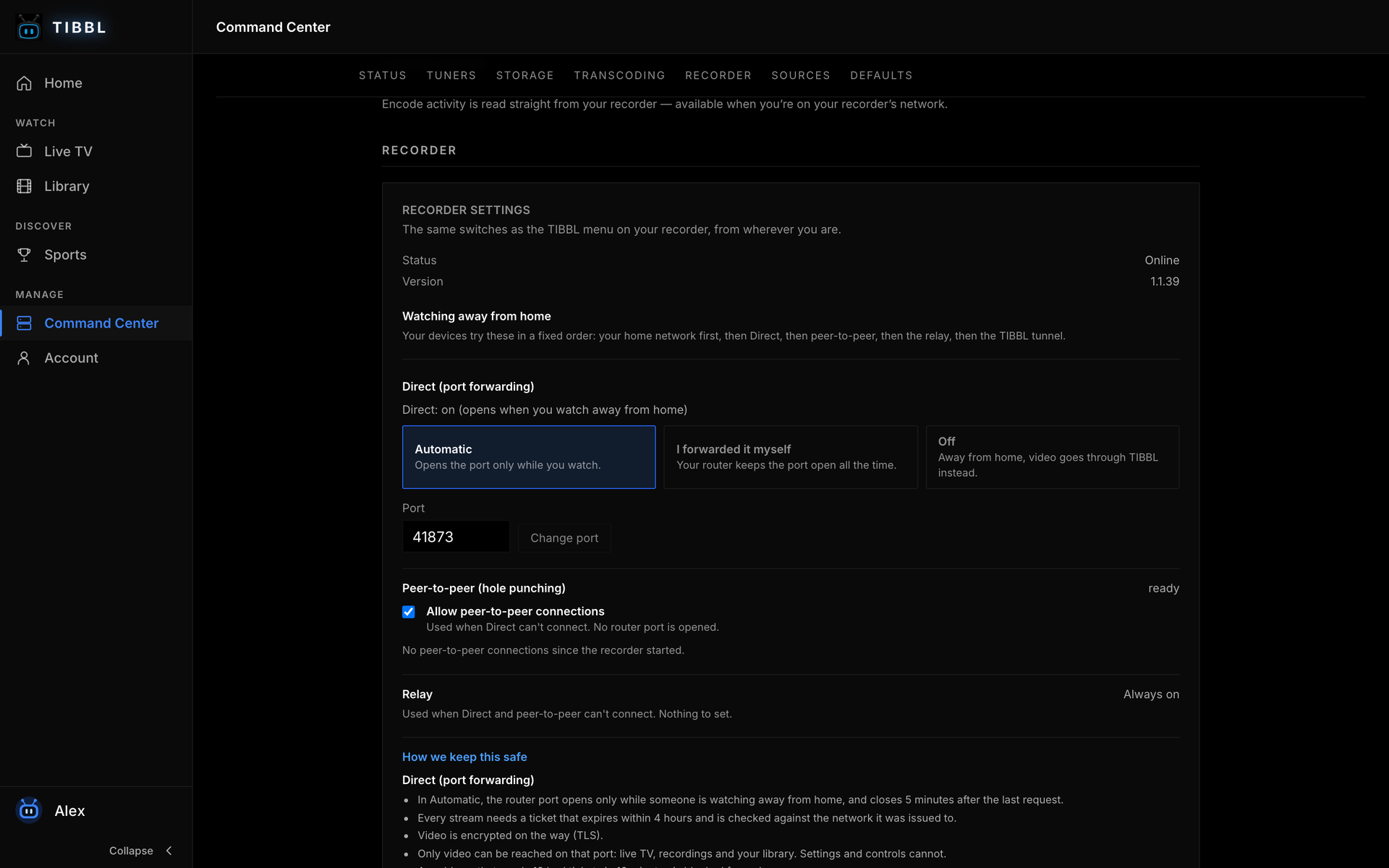
TIBBL tries several routes to your recorder each time you press play away from home, and uses the first one that works. You do not choose between them or set any of them up.
First it tries to go straight to your house. If your router supports automatic port mapping, the recorder opens a port only when someone starts watching away from home, and closes it five minutes after the last request. If your router or provider blocks that, the app tries a peer-to-peer connection, where the two ends find each other through your account and nothing is opened at all. If that fails too, the stream goes through the TIBBL relay, which is always on and needs nothing from you. The TIBBL tunnel is the last resort behind all three.
Every stream needs its own ticket from your account, and those tickets expire within four hours. The recorder refuses requests from outside your home that do not carry one, so an open port does not mean an open recorder.
What you can watch away from home
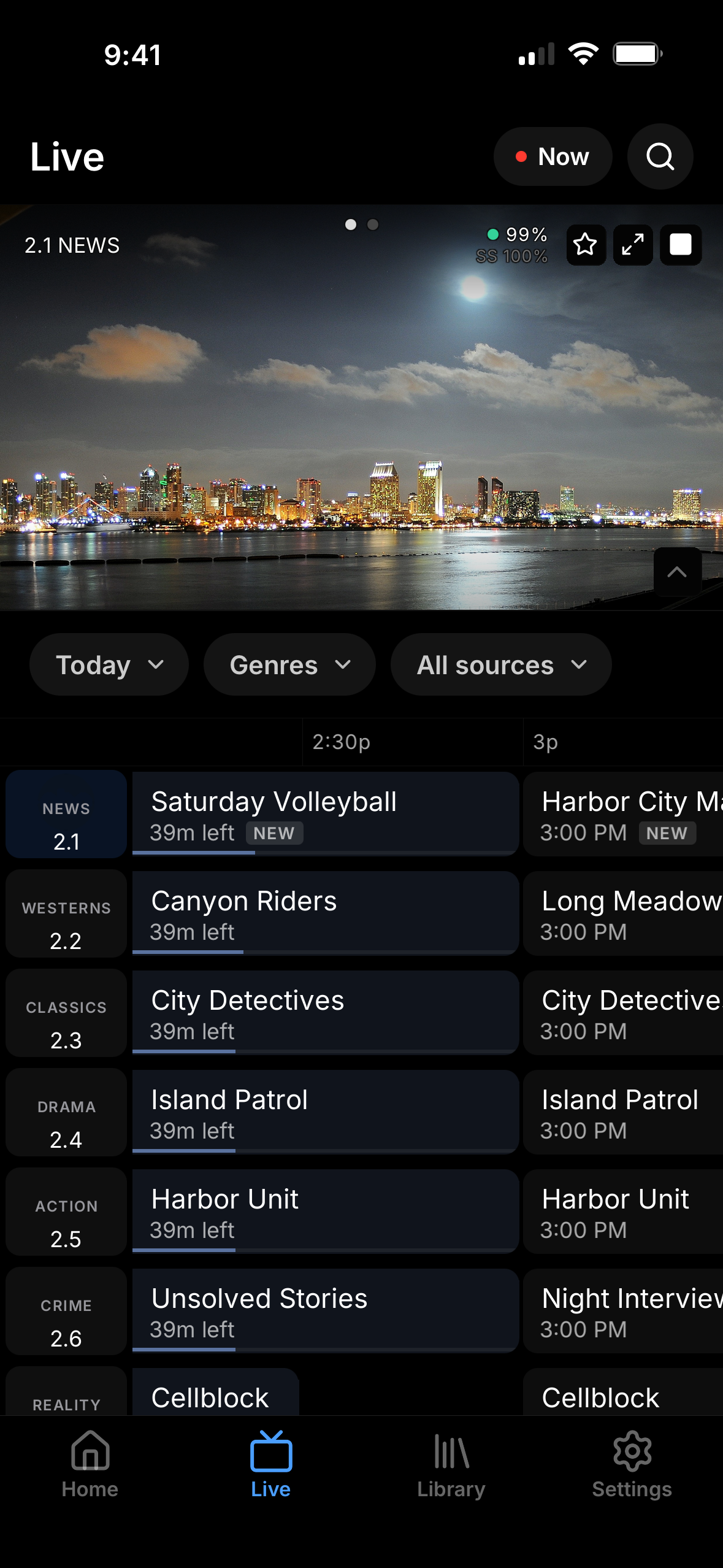
Live channels from your antenna, your recordings and your library, in the TIBBL web app on any phone, tablet or computer. You can set a recording from the road and it is waiting when you get home. The TIBBL Roku, Fire TV, Android TV and Google TV apps are out now, and the iPhone, iPad and Apple TV apps are with Apple for review; they all reach your recorder the same way.
Picture quality away from home is limited by your home internet's upload speed, because every stream starts at your house. The player has a quality setting, so on a slow upload or on mobile data you can trade sharpness for a picture that does not stall.
What it costs
TIBBL has one plan, Full, and watching away from home is part of it: $5 a month or $50 a year, after 14 days free, so you can try it from your phone before paying.
What you need, and what it costs
An antenna, an HDHomeRun network tuner, and a computer that stays on to run the TIBBL recorder: a Mac with Apple Silicon, a Windows PC or a Linux PC. Recordings go to that computer, in a folder you choose.
One plan with everything: $5 a month or $50 a year, after 14 days free.
Today you watch in the TIBBL web app, in a browser on a computer, phone or tablet, on Roku from the Roku Channel Store, on Fire TV from the Amazon Appstore, or on Android TV and Google TV from Google Play. The iPhone and iPad, Apple TV and Xbox apps are with their stores for review.
Questions people ask
Can I watch my HDHomeRun outside my home network?
Not with SiliconDust's own app, which works on your home network only. You need a VPN back into your house, DVR software with remote access, or a service like TIBBL that connects for you.
Do I need to set up port forwarding for TIBBL?
No. If your router supports automatic port mapping TIBBL uses it, and if it does not, TIBBL falls back to a peer-to-peer connection or its relay. There is nothing to configure on the router.
Does it work if my internet provider uses CGNAT?
Yes. With carrier-grade NAT the direct route cannot work, so TIBBL uses its peer-to-peer connection or its relay instead.
Is it safe?
Every stream needs its own ticket from your account, and tickets expire within four hours. The recorder refuses outside requests without one, and a port opened automatically closes five minutes after the last request.
Which TIBBL plan includes watching away from home?
The one plan, Full, at $5 a month or $50 a year. Watching away from home is part of it.